
Digiflow PSE Registration Manual
What is a PSE?
A PSE (electronic services provider) is the party that provides services to the electronic issuer, carrying out some or all of the activities involved in issuing electronic payment documents on the issuer's behalf. Payment documents, daily summaries and cancellation notices are electronically signed with the PSE's Digital Certificate uploaded in the previous section.
Digiflow is accredited with SUNAT (Peru's tax authority) as a PSE and approved by Ganemo.
To issue your electronic documents through our subscription, you must register Digiflow as your PSE with SUNAT.
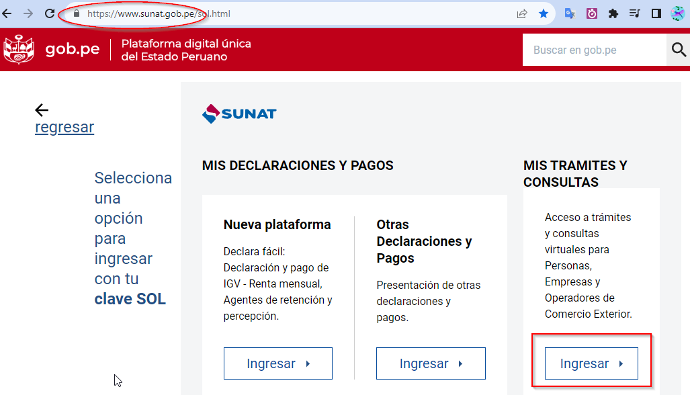
Step 1: Log in to SUNAT
Log in to the SOL Portal
The client must use their Main User and SOL Password to log in to SUNAT Operaciones en Línea (online operations).
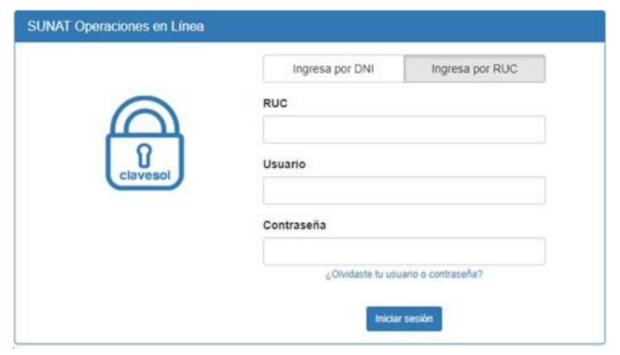
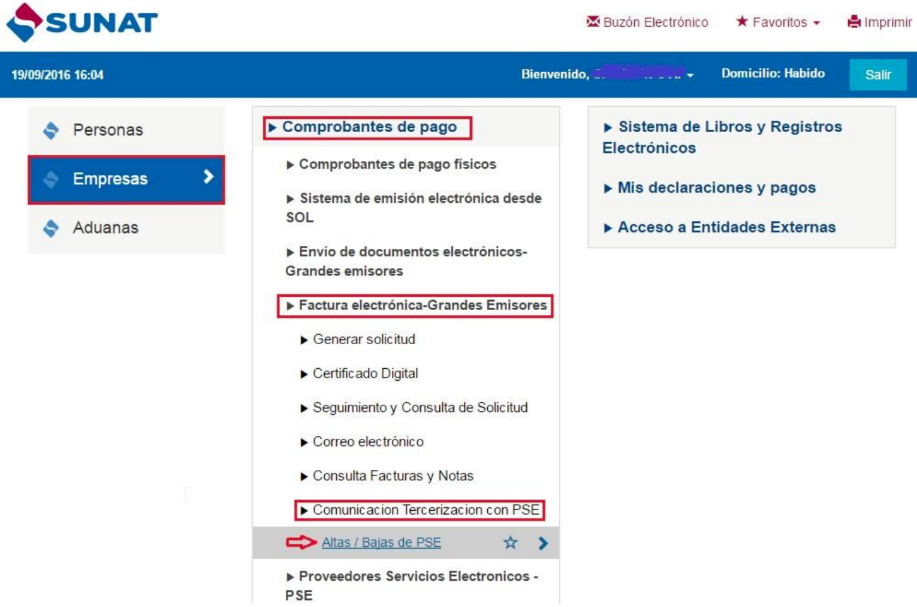
Step 2: Find the menu
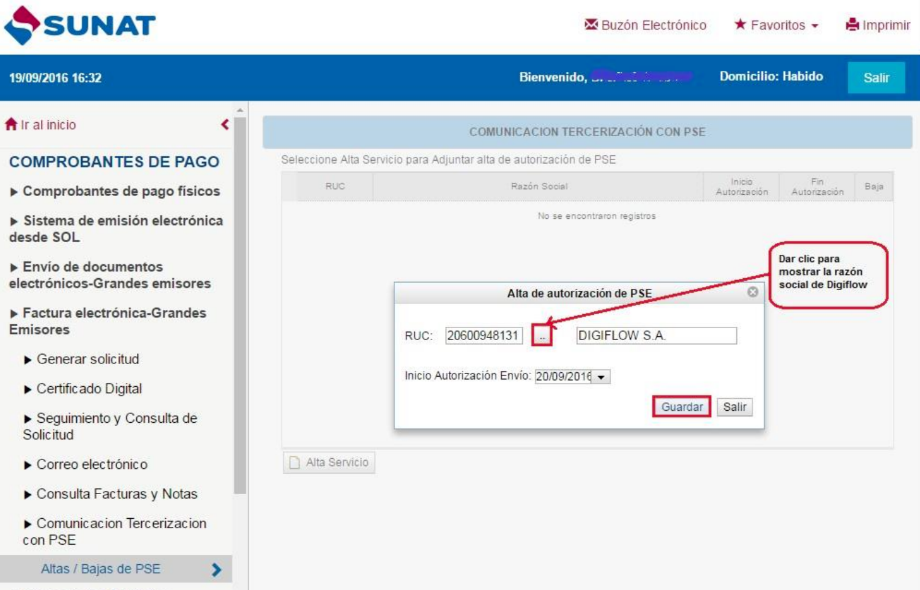
Select “Empresas/Comprobantes de Pago/Factura Electrónica – Grandes Emisores/Comunicación Tercerización con PSE” and then “Altas / Bajas de PSE”.
Click "Alta Servicio":
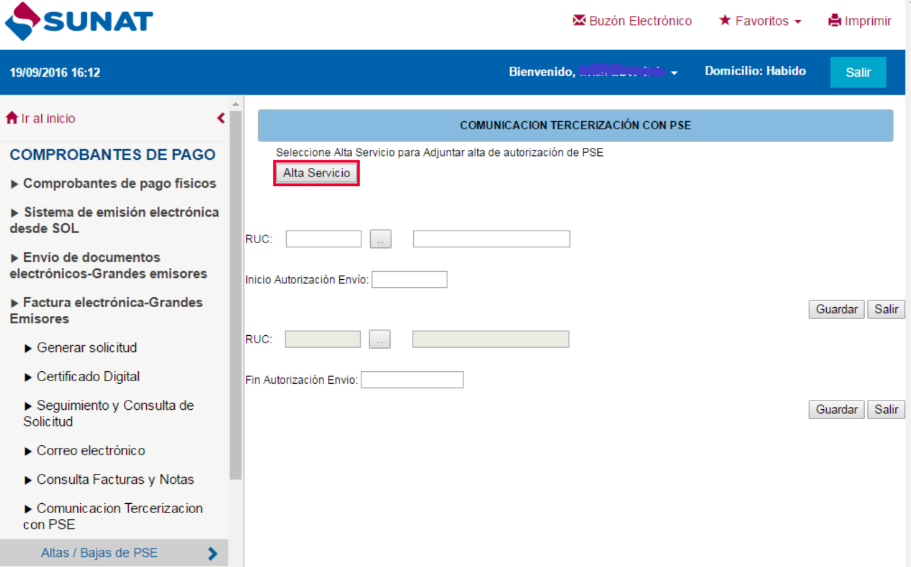
Step 3: Enter the RUC and register
Enter the PSE's details and click "Guardar".
Note: You must wait 24 hours for SUNAT to activate the registration before you can issue your first document through the PSE.